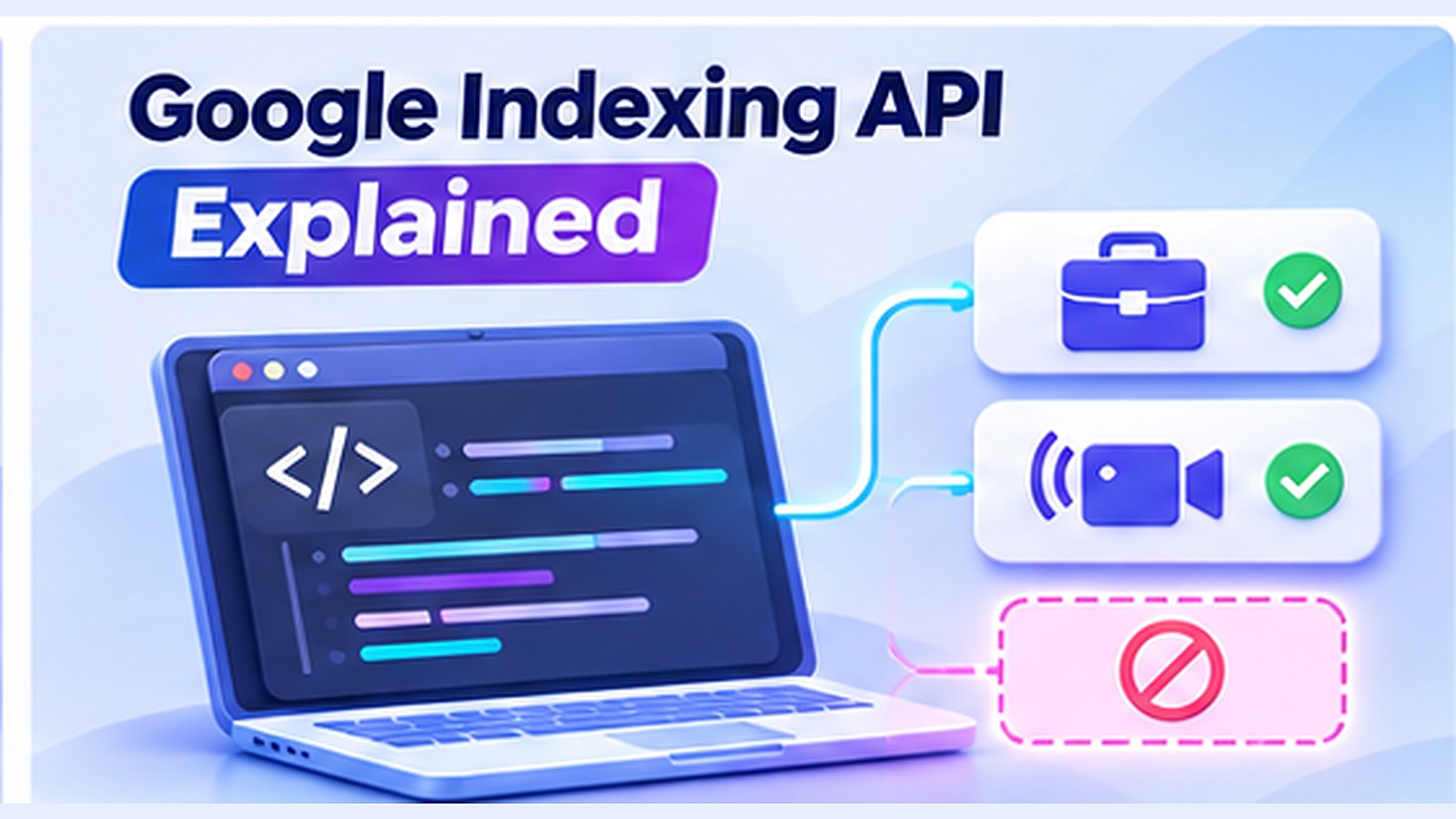
The name “Google Indexing API” makes it sound like a universal endpoint for getting any URL into Google Search. It is not. Google's published documentation limits the API to pages with JobPosting structured data or BroadcastEvent embedded in VideoObject structured data. This distinction matters to developers, SEO agencies, job boards, and anyone evaluating third-party indexing claims.
This guide explains the official API's purpose, setup, request formats, quotas, and what a successful response actually means.
What the Google Indexing API is designed to do#
The API lets eligible site owners notify Google about newly available, changed, or removed URLs in qualifying categories. Job listings and livestreams can have short useful lifetimes, so promptly communicating updates can help Google schedule crawling.
A successful notification means Google received the notification; it is not proof that Google indexed the page, displayed a special search feature, or improved its ranking. Eligibility also does not exempt a page from Google's structured-data, spam, quality, or technical requirements.
Eligible and ineligible examples#
| Page type | Eligible for official Indexing API? | Explanation |
|---|---|---|
Individual job posting with valid JobPosting markup |
Yes, subject to guidelines | Qualifying job page |
Livestream page with BroadcastEvent inside VideoObject |
Yes, subject to guidelines | Qualifying livestream page |
| General SEO blog post | No | Not an eligible page type |
| Product or category page | No | Normal discovery paths apply |
| Regular guest post or backlink source | No | Not eligible by virtue of containing links |
| Job category/search results page | No, not merely because it lists jobs | Job markup belongs on applicable detailed job pages |
Do not add misleading structured data to an unrelated page to make it look eligible. Markup should accurately represent visible page content.
How the authentication flow works#
Google's quickstart documents these general prerequisites:
- Create or choose a Google Cloud project and enable the Indexing API.
- Create a service account and securely manage its credentials.
- Verify ownership of the relevant website in Search Console.
- Add the service account's email to the appropriate Search Console property with the required permissions.
- Obtain an OAuth 2.0 access token with the indexing scope.
- Send authenticated requests to the documented endpoint.
Keep private keys off client-side JavaScript, public Git repositories, and shared screenshots. Use secret management and restrict access to operational systems.
Publish a URL notification#
The documented endpoint is:
POST https://indexing.googleapis.com/v3/urlNotifications:publish
A notification body for an eligible updated page has this shape:
{
  "url": "https://jobs.example.com/openings/123",
  "type": "URL_UPDATED"
}
For a removed eligible URL, the notification type is URL_DELETED. Send JSON with the Content-Type: application/json header and authenticate with an appropriate bearer token. This example illustrates the format; it does not include real credentials and should not be sent for an ineligible page.
Google also documents a metadata retrieval endpoint for the notification history of a URL. Notification history describes what Google received, not a live index status report.
Sending requests in batches#
Google's API supports HTTP batching, with up to 100 individual calls grouped into a batch request. Batching reduces connection overhead; it does not make the service unrestricted. Each request still counts toward applicable quotas and must comply with eligibility and policy requirements.
Check current quota details in Google's documentation and the associated Cloud project rather than relying on a hard-coded number from an older blog post. Do not attempt to bypass limits using multiple accounts. Google expressly warns that abuse may lead to revocation of access.
Common errors and their meaning#
Authentication failure: The token may be missing, invalid, expired, or lack the proper scope. Verify how your application retrieves tokens and whether credentials were rotated.
Permission error: The service account may not have correct access to the verified Search Console property, or ownership may be misconfigured.
Invalid request: Check JSON syntax, the requested URL, notification type, and required headers.
Quota exceeded: Reduce request volume, queue work, and respect Google's documented limits. Do not route around quota controls.
Successful notification but no search result: This is not an API malfunction by itself. Google still makes independent crawl and indexing decisions, and the page must meet applicable rules.
Verify the page after submitting#
For a property you own, use Search Console URL Inspection to understand Google's recorded page state. Look at whether it was crawled, indexing was permitted, and which canonical Google selected. If relevant, review structured-data eligibility and the job or video rich-result guidance.
Don't build dashboards that label every HTTP 200 or successful API response as indexed. Better fields are notification_sent, notification_acknowledged, last_notification_type, and index_status_checked_separately.
What about normal articles, stores, and most SEO websites?#
Use the documented standard discovery mechanisms: crawlable internal links, accurate XML sitemaps, and Search Console's URL Inspection request for a small number of URLs you own. Technical access and content quality remain necessary. Google's own guide says recrawl requests may take days to weeks and do not guarantee indexing.
The difference between CrawlMe's API and Google's Indexing API#
CrawlMe offers an API-oriented URL submission workflow for its platform. That is a third-party service API, not the official Google Indexing API. The two should be named separately in technical documentation, integrations, and client reports. CrawlMe can help teams manage their submission operations; it cannot enlarge the eligibility of Google's restricted endpoint or compel Google's indexing decisions.
Frequently asked questions#
Can I use the official Indexing API for backlinks?#
No, not as a general-purpose backlink submission API. Eligible URLs must meet Google's documented job posting or livestream requirements.
Can I submit 100 URLs in a batch?#
Google documents HTTP batches of up to 100 API requests, subject to eligibility and quotas. A batch is not an unrestricted allowance.
Does a successful API call mean the page is indexed?#
No. It means the notification was received or processed by the API. Google may crawl and assess the page separately.
Do I need Search Console ownership?#
Google's setup requires properly configured ownership and service-account access for the relevant property.
Are there alternatives for ordinary web pages?#
Yes: maintain crawlable links and sitemaps, and use Search Console URL Inspection where appropriate. No official unrestricted equivalent exists for arbitrary page categories in this API.
Bottom line: Use the Indexing API for its narrow intended purpose, follow its guidelines, and never confuse a notification receipt with Google index inclusion.
Sources and further reading#
- https://developers.google.com/search/apis/indexing-api/v3/using-api
- https://developers.google.com/search/apis/indexing-api/v3/quickstart
- https://developers.google.com/search/docs/appearance/structured-data/job-posting
- https://developers.google.com/search/docs/appearance/structured-data/video
- https://developers.google.com/search/docs/crawling-indexing/ask-google-to-recrawl