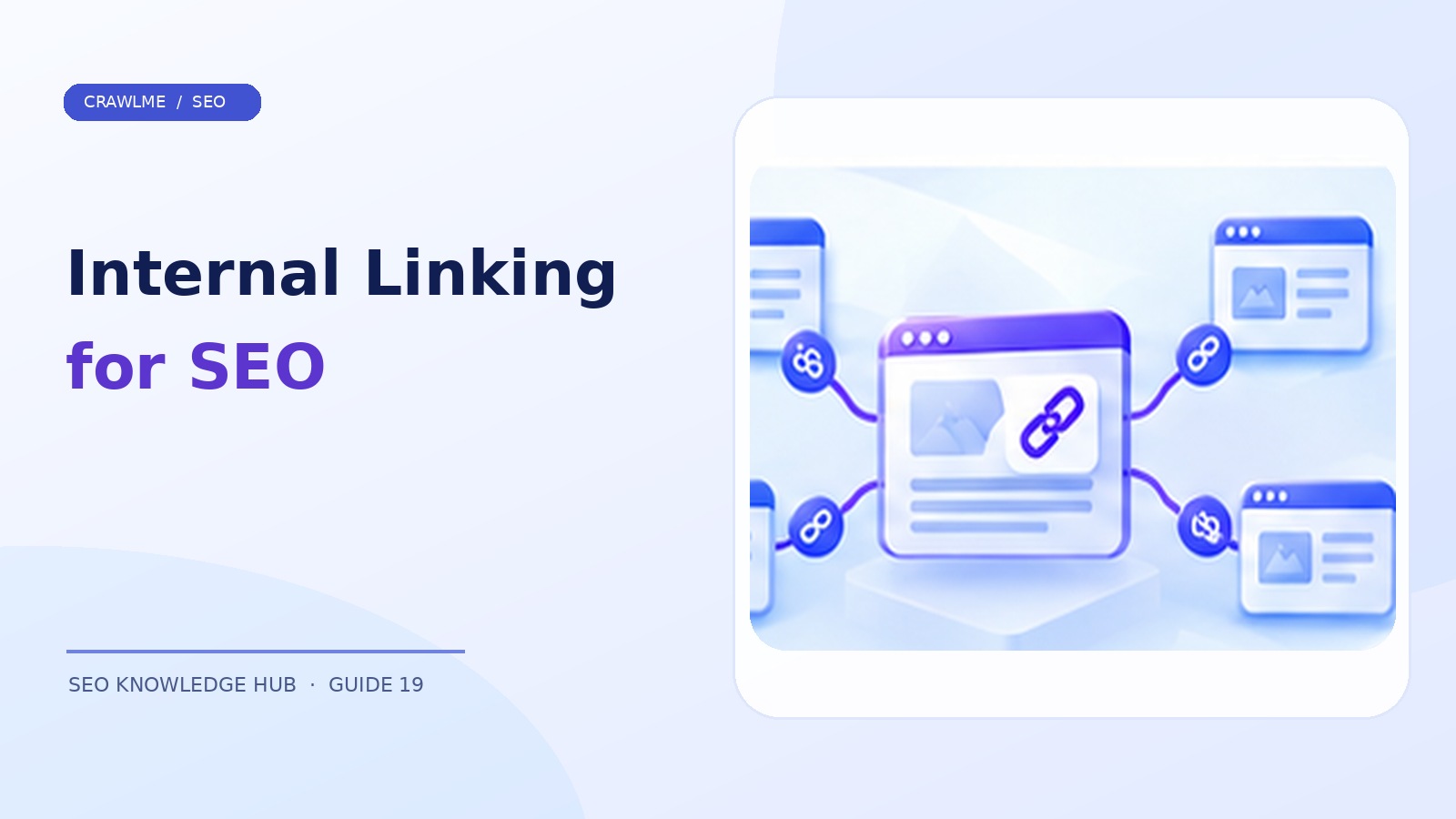
Internal linking connects pages within the same website. Those links help users navigate, communicate topical relationships, and give crawlers paths to discover important pages. A sitemap can announce that a URL exists, but clear internal links place it in the site's information architecture and make it easier to reach naturally.
1. Start with discoverability, not arbitrary link counts#
A useful internal-linking strategy answers three questions: can a crawler reach the page through standard links, does its parent section explain why it exists, and does its anchor text make sense to a reader? A site with 30 links in every footer can still have weak architecture if its important new guides are orphaned from editorial pages.
Visualize the site as a directed graph. The homepage links to major categories; categories link to related subcategories and content; guides link to other guides when a reader genuinely benefits. The goal isn't a precise number of clicks or links, but a coherent path to valuable pages.
2. Use crawlable links#
Prefer ordinary HTML anchors:
<a href="/blog/canonical-tags-duplicate-urls/">Understand canonical tags</a>
Avoid making the only navigation a JavaScript click handler without an href. Google can process many JavaScript applications, but reliable crawlable anchors are still a fundamental discovery pattern. On mobile templates, confirm the main navigation and related links remain present in the rendered HTML.
Use descriptive, natural anchor text. “Learn how canonical tags affect duplicate pages” communicates more than “click here.” Avoid forcing the exact same commercial keyword into dozens of unrelated links.
3. Find orphan and near-orphan pages#
Export canonical indexable URLs from your CMS and sitemap. Crawl the website from its normal entry points and collect URLs discovered through links. Compare the sets. A page that exists in the CMS but cannot be reached from navigation or contextual links is a candidate orphan.
Not every orphan is an error: a private confirmation page may be intentionally unlinked. Prioritize valuable public pages, especially newly published guides, seasonal category pages, and high-quality articles receiving impressions but few internal pathways.
For each orphan, ask which existing page logically introduces it. A new “XML sitemap best practices” guide belongs in a technical SEO hub and is a natural contextual link from broader indexing articles.
4. Organize content into meaningful clusters#
A content hub is not merely a list of articles. It should explain the subject, offer clear paths to subtopics, and help readers choose their next question. A foundational indexing guide could link to detailed articles about Search Console statuses, canonicalization, sitemaps, crawl budget, and JavaScript rendering.
Then link back from the detailed guides to the appropriate overview when helpful. Related clusters can cross-link: for example, a faceted navigation article may link to canonical tags and crawl budget because those concepts directly affect filter URL management.
Avoid creating a giant identical “related posts” block on every page if it adds little contextual value. Editorial links in the right paragraph are often more useful to readers than automatically generated lists.
5. Review pagination and archive navigation#
For long blogs or product categories, make sure deeper archive pages can be reached with ordinary links. Infinite scroll may be a useful interaction, but important older items should have stable URLs and crawlable navigation. If the only way to reach page 14 is to scroll through thousands of cards, discovery becomes unnecessarily difficult.
Do not rely solely on XML sitemaps to compensate for broken navigation. A URL may be listed in a sitemap yet remain disconnected from the content network that establishes its context.
6. Prioritize links by user journey#
A reader of “Why is my page not indexed?” might next need a specific guide to the “Crawled – currently not indexed” status. A reader of “Backlink indexing” might need to learn the distinction between source-page indexing and link recognition. These transitions are genuinely helpful, so they can also produce engaged sessions and qualified product interest.
Add links during content review: one from a suitable existing hub, one from a relevant adjacent article, and an appropriate breadcrumb or category relationship. Exact counts are not ranking formulas; they are a maintenance prompt that keeps newly published pages integrated.
7. Audit broken links and redirect chains#
Use a crawler to detect internal 404s, unnecessary 301 chains, mixed protocol URLs, and links to non-canonical variants. Update links directly to the canonical destination after a site migration. Redirects may preserve old inbound paths, but internal navigation should not send users and bots through avoidable hops.
Spot-check pages in Search Console to see whether Google discovers and crawls them. Remember that crawlable linking improves discovery conditions; it does not guarantee indexing or rankings.
8. Create a repeatable editorial workflow#
Before each publication, select a category hub, 2–4 relevant existing articles, and an anchor phrase that fits the sentence. After publication, verify links resolve and add the new URL to the sitemap if eligible. Quarterly, review the topic cluster for stale or broken relationships.
Measure outcomes by segment: proportion of important pages linked internally, average crawl depth as a diagnostic (not a Google threshold), orphan pages, and Search Console discovery outcomes. Combine this with traffic and conversion engagement rather than treating link counts as the sole objective.
Example: restructuring a neglected knowledge base#
A SaaS company has 150 help articles. Search engines know some of them through its sitemap, but many guides are reachable only from the admin panel or an internal search box. Build a public documentation index with category hubs, and add descriptive anchor links to key articles. Then connect related how-to guides where readers naturally need the next step. This improves both user journeys and crawler pathways without stuffing links into every footer.
When an article is removed or consolidated, update the links that pointed to it. Redirects are useful for old addresses, but they should not become a permanent substitute for clean internal navigation.
Use a content-linking matrix#
Maintain a simple spreadsheet with article URL, primary topic, parent hub, two or three close neighbors, indexability, and last-reviewed date. For a new CrawlMe indexing guide, for example, the broad troubleshooting pillar could be the parent, while relevant Search Console status and sitemap articles become neighbors. A matrix makes it easier to spot an isolated article or a group with no clear hub.
Check how links appear on mobile#
An expandable navigation menu may keep links in rendered HTML, or it may inject them only after a user action. Inspect the real output. Also check accessibility: link text must identify a destination, and links should be usable with keyboards and screen readers. Good internal linking is a navigation and content design practice, not solely a crawler optimization technique.
Where CrawlMe fits#
Strong internal linking should come before, not after, a submission campaign. If your team needs to manage large submission lists across SEO projects, CrawlMe can assist with operational batching, but it does not replace the discovery pathways within your own site.
Internal linking checklist#
- Every important page has a logical internal path.
- Links use crawlable HTML anchors and descriptive text.
- Content hubs connect useful subtopics.
- Orphan pages and broken links are reviewed regularly.
- Internal links point directly to canonical destination URLs.
Frequently asked questions#
Do more internal links guarantee higher rankings?#
No. Internal links help users and discovery, but link volume alone is not a ranking formula.
Are sitemap-only pages sufficient?#
A sitemap can help discovery; meaningful internal links provide additional paths and context.
How do I find orphan pages?#
Compare canonical CMS or sitemap URLs against URLs reachable from a crawl of your site’s actual links.