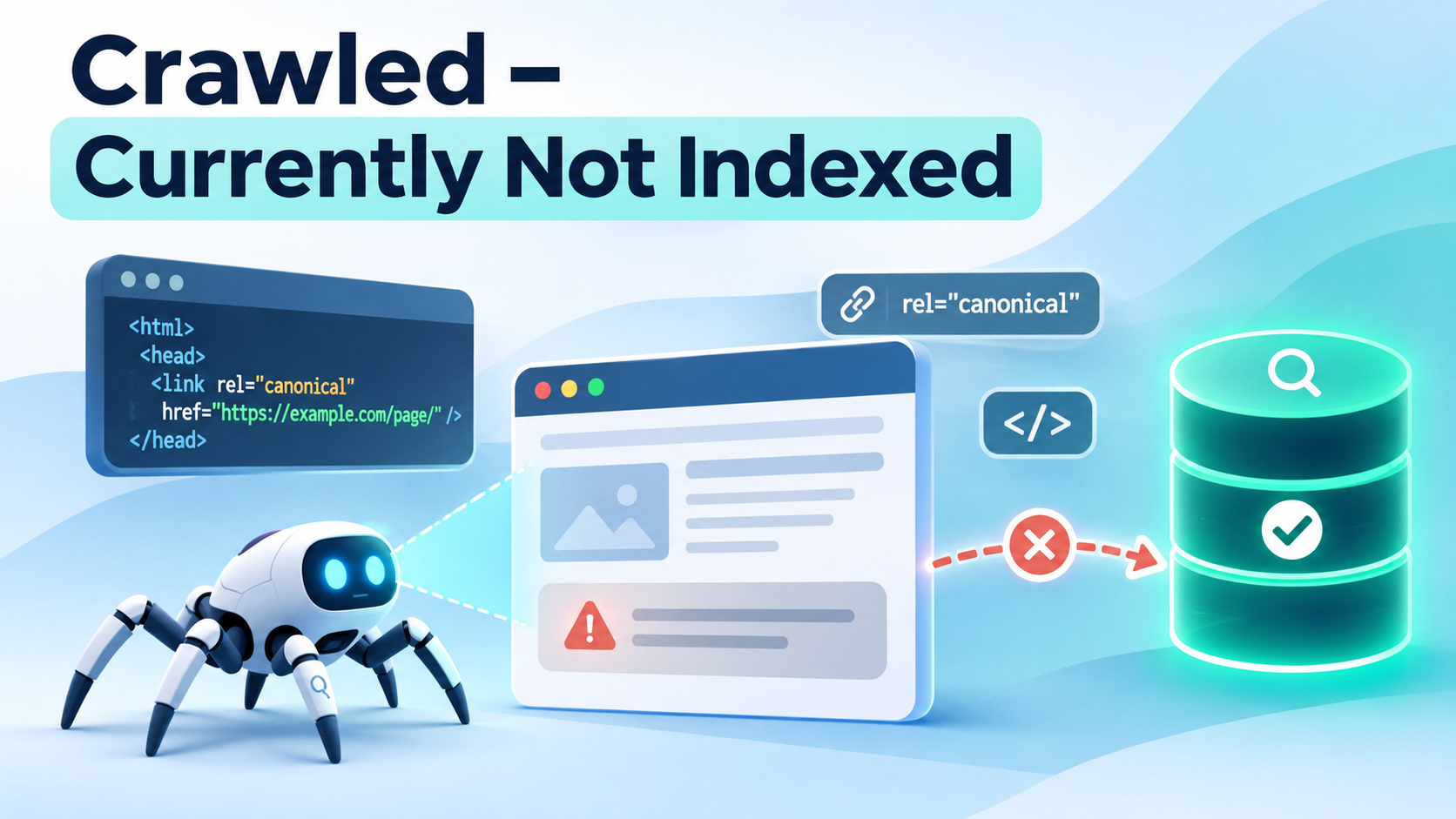
Few Google Search Console messages frustrate publishers more than “Crawled – currently not indexed.” It confirms that Google visited the URL, yet the page isn't in Google's index. Naturally, the next question is: If Google could read it, why didn't it index it?
The precise answer is usually not disclosed. Google's Page indexing report documentation defines the status as a page that was crawled but not indexed, which might or might not be indexed later. It also says there is no need to resubmit the URL for crawling just because it has this status.
That does not mean you must do nothing. It means you should investigate the page's purpose, rendered content, canonical signals, and patterns across similar URLs, rather than treating repeated submission as a fix.
What the status actually tells you—and what it doesn't#
It tells you Google has fetched the URL at some point and has not currently included that URL in its index. Depending on timing and later changes, Search Console may not yet reflect the newest version of the page.
It doesn't prove that your website has a penalty; that Google has assigned a particular “quality score”; that the page will never be indexed; or that changing a title tag will automatically resolve the issue. In particular, the status alone does not identify a single cause. Consider it a diagnostic category rather than a verdict.
Crawled versus discovered: don't confuse the two#
| Status | Has Google crawled the URL? | Investigation starts with |
|---|---|---|
| Crawled – currently not indexed | Yes, according to report data | Page content, duplication, rendering, canonicalization, crawl history |
| Discovered – currently not indexed | Not yet, according to report data | Discovery, server capacity, crawl demand and prioritization |
If your URL is in the second group, see our companion guide: Discovered – Currently Not Indexed.
Step 1: Confirm the specific URL and last crawl#
In Search Console, go to Indexing → Pages, open Crawled – currently not indexed, and select a representative example. Inspect the exact URL and record:
- Last crawl date, if available.
- Whether crawling and indexing are allowed.
- Page fetch result.
- User-declared and Google-selected canonical information, where shown.
- Whether the live URL still delivers the same content.
- Whether the URL is important enough to deserve separate indexing.
Use Test live URL to assess current accessibility and rendering. Be careful: a live test that reports a page can be indexed only checks conditions at that moment. It is not a prediction that Google will select the page for its index.
A practical approach is to log these findings alongside the date and a short diagnosis. Otherwise, different team members may repeatedly change the same page without knowing which change they are evaluating.
Step 2: Determine whether the problem affects a pattern#
One excluded URL is very different from ten thousand excluded URLs. Before rewriting anything, group examples by template, content source, directory, and page type.
For example:
| Pattern | What to investigate first |
|---|---|
| New editorial articles | Usefulness, internal links, publication timing |
| Thousands of product variations | Duplicate descriptions, variant architecture, canonical signals |
| Tag archives | Overlap with category pages, empty or nearly empty content |
| Programmatic location pages | Genuine geographic differentiation, misleading repetition |
| JavaScript-dependent landing pages | Rendered content, resource failures, app shell behavior |
| Old migrated URLs | Redirects, canonical drift, new destination quality |
Choose a small sample from each group, including indexed comparison pages built from the same template. That comparison is often more informative than guessing at individual keywords.
Step 3: Compare the page's actual value against competing pages#
An accessible page is not automatically a useful search result. Ask a reader-centered question: If someone landed here from Google, would this page do a distinctive job well?
Consider a sample article called “Best Running Shoes.” It contains an introductory paragraph, five affiliate links, and generic descriptions copied from retailers. The page may look complete in a CMS but contribute little that is different from numerous existing guides. Instead of adding 1,000 words of filler, you could add transparent selection criteria, original comparisons, information about foot shape and terrain, up-to-date product limitations, and a concise decision table.
For a software tutorial, demonstrate the actual steps, screenshots from a verified workflow, real error messages, and troubleshooting branches. For a product page, provide accurate specifications, compatibility details, availability, shipping and return information, and a distinctive description where useful.
Google's people-first content guidance emphasizes helpful, original information—not a universal minimum word count. Content changes can improve the page's usefulness, but nobody can guarantee that an improved page will be indexed.
Avoid the “just make it longer” trap#
Word count is not an indexing switch. A precise 600-word reference page may serve its audience better than a repetitive 3,000-word article. If the original page has nothing distinct to say, decide whether it should exist at all.
Step 4: Check duplication and canonicalization#
The Search Console status is not itself a duplicate-content diagnosis, but duplication is worth investigating when many pages share similar material.
Imagine a clothing retailer with these URLs:
/products/linen-shirt-blue/
/products/linen-shirt-blue/?size=m
/products/linen-shirt-blue/?size=l
If each URL presents substantially the same information, indexing all versions may not be appropriate. Confirm how the website links to these versions and whether canonical annotations point to the preferred destination:
<link rel="canonical" href="https://example.com/products/linen-shirt-blue/">
Inspect Google's selected canonical when Search Console exposes it. Google treats canonical annotations as signals, and other evidence may lead it to choose a different URL. Check for conflicting sitemaps, internal links, redirects, and template-generated canonical tags. Do not blindly self-canonicalize pages that really are duplicates and then assume Google must index them all.
If two pages target the same intent and differ only superficially, merging their useful content into one stronger page may be appropriate. Redirect the retired URL only when a genuinely relevant replacement exists.
Step 5: Examine what Google actually rendered#
Modern websites sometimes serve an HTML shell like this:
<main id="app"></main>
<script src="/assets/application.js"></script>
That structure is not automatically an SEO problem: Google can render JavaScript. The problem arises if essential content fails to load, requires a user interaction, depends on blocked scripts, or appears only after an API call that doesn't complete for Googlebot.
Use the live URL inspection and rendered-page view to check that Google can see the page's title, main heading, substantive copy, product data, and internal links. Reproduce failed resource requests, check your browser's network panel and application logs, and consider delivering important content in initial or server-rendered HTML where feasible.
Also check the mobile version: Google's indexing is mobile-first, and mobile templates that omit critical content or links can affect discoverability and processing.
Step 6: Verify technical consistency, even if this isn't an explicit error#
Run a targeted check of the affected URL:
curl -I https://example.com/example-page/
Verify the response with a normal GET if necessary. Check for:
- An HTTP
200final response rather than a redirect or server error. - No accidental
noindexmeta tag orX-Robots-Tagheader. - No conflicting canonical in the source versus rendered HTML.
- A consistent page for ordinary visitors and verified Googlebot.
- Accurate, indexable internal links leading to the URL.
- Correct sitemap inclusion if the page is a preferred canonical.
A currently healthy page may have been unhealthy at the time of the last crawl. Use server logs to look for earlier failures. Also avoid thinking that an indexing test passing is equivalent to indexing being guaranteed.
Step 7: Strengthen the page's place in your site#
Internal links give both people and crawlers a useful path to content. A new article linked only from a short-lived homepage feed may eventually be buried far below the site's important navigation.
Add thoughtful links from evergreen guides, category hubs, tutorials, and relevant product pages. Use natural anchor text. For example, a guide about XML sitemaps can reasonably link to an article explaining canonicalization and to a troubleshooting guide about missing URLs. A sitewide footer list containing hundreds of unrelated URLs isn't a comparable substitute.
Include the page in an XML sitemap if it is a canonical URL you want indexed. Keep <lastmod> truthful. If you revise the article, reflect the meaningful modification rather than changing dates to manufacture activity.
Step 8: Decide whether to improve, consolidate, or leave it excluded#
Not every crawled URL warrants remediation. Use this decision table:
| Finding | Recommended action |
|---|---|
| Useful standalone page, technical issue found | Fix the issue and verify |
| Useful standalone page, poor discoverability | Improve contextual internal links and sitemap |
| Useful page, but key content fails to render | Repair rendering or content delivery |
| Nearly identical to another page | Choose a canonical strategy or consolidate |
| Thin archive, filter, or expired utility page | Consider intentional exclusion or a more useful replacement |
| Recently published and otherwise healthy | Monitor, rather than repeatedly resubmit |
The priority is your valuable canonical pages, not forcing every URL ever generated by your CMS into the index.
Step 9: Monitor after making a meaningful fix#
Record a baseline: affected URL count, sample page status, last crawl date, and the change you made. Check the URLs after Google has had a chance to recrawl. There is no universal turnaround time. Google says recrawling can take days to weeks, and indexing remains a separate decision.
A simple spreadsheet can help:
| URL | Template | Last inspected | Diagnosis | Change made | Follow-up |
|---|---|---|---|---|---|
/guide/a/ | Article | Nov 10 | Main text not rendered | Fixed API dependency | Reinspect later |
/product/b/ | Product | Nov 10 | Canonical to wrong variant | Fixed template | Reinspect later |
/tag/c/ | Archive | Nov 10 | Overlaps category | Intentionally exclude | No indexing action |
These rows are illustrative examples, not observed CrawlMe customer data.
If you fixed an important URL, Search Console's Request Indexing feature can be appropriate. However, the official definition of Crawled – currently not indexed explicitly says there is no need to resubmit solely because the URL carries this status. Reserve requests for substantive changes; repeated requests aren't a shortcut.
Can CrawlMe solve “Crawled – currently not indexed”?#
A URL submission platform cannot force Google to index a page it has already crawled. If your problem is duplicate content, weak page usefulness, incorrect canonicals, or a rendering issue, fix that cause first.
CrawlMe can help SEO teams organize and process batches of publicly accessible URLs as part of a wider indexing workflow. This can be useful for campaigns involving many landing pages, articles, and backlink URLs. But CrawlMe's submission or processing outcome is not evidence that Google has indexed the URL, and it should not be marketed as a cure for this Search Console status.
Frequently asked questions#
Does “Crawled – currently not indexed” mean low-quality content?#
Not necessarily. Content quality or differentiation may be relevant, but the status alone doesn't establish the cause. Technical history, duplication, rendering, and timing also deserve investigation.
Should I delete pages with this status?#
Not automatically. First determine whether each page is useful and whether a technical or structural fix is warranted. Delete or consolidate only when that is genuinely better for visitors.
Will adding more backlinks guarantee indexing?#
No. Relevant links may help discovery and demonstrate that a page is part of the wider web, but there is no guaranteed link count or backlink purchase that forces indexing.
Does changing the URL slug reset the problem?#
Renaming a URL without improving the underlying page creates additional redirects and signals to manage. Change slugs for legitimate structural reasons, not as an indexing trick.
How long should I wait?#
There is no dependable deadline. A recently published page may need time; a large pattern of valuable excluded pages deserves a structured audit sooner. Look for actual recrawling and index changes after a substantive correction.
Practical takeaway#
Treat this status as an investigation, not a punishment. Identify whether the affected page is genuinely worth indexing; compare it with related indexed pages; check the canonical, rendered content, and technical response; improve useful pages; consolidate unnecessary variants; and then monitor. The right fix is typically an editorial or technical decision, not another submission click.